

Run a focused pilot.
Start with one team, a qualified model and your own hardware. Follow the source-build quick start, connect a test application and record the measurements that matter to your workload.
Start a pilotThe enterprise arm of TensorFold
 StarLight
Free, fully open-source AI infrastructure designed for large-scale enterprise deployments. Connect your models, GPU servers and teams with shared identity, deployment, data policy and usage controls.
Macs & GPU servers
TensorFold native inferenceOptional cloud routes
Same policies & budgetsOne endpoint for your teams. You decide which models are available and where requests can run.
Inside StarLight
See what is running, who is using it and where requests go. Manage your machines, access and budgets from the same console.
Screenshots of the running StarLight console with example organisation, hardware and usage data. Figures are illustrative.
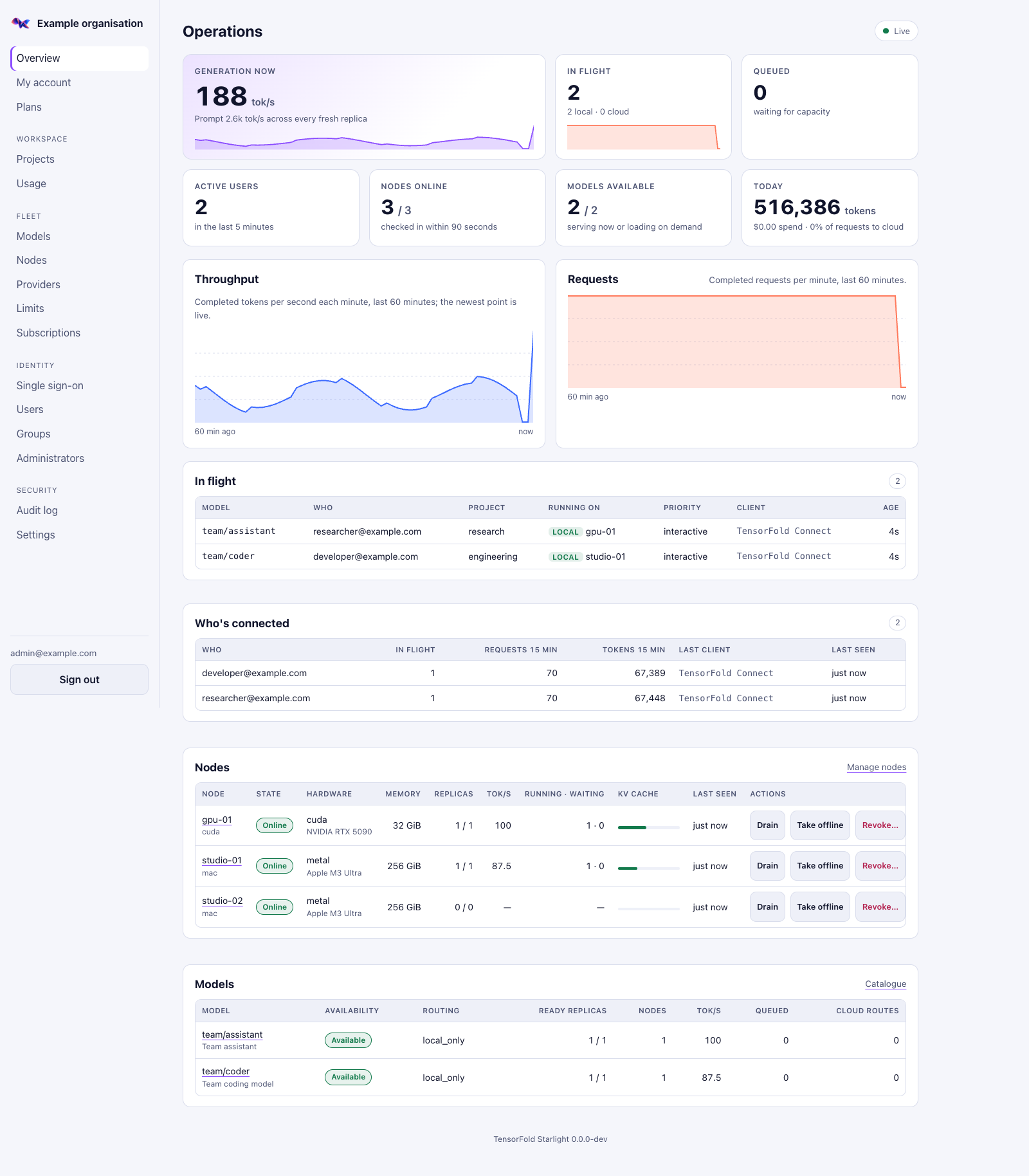
Live throughput, running requests, connected users and fleet availability in one view.
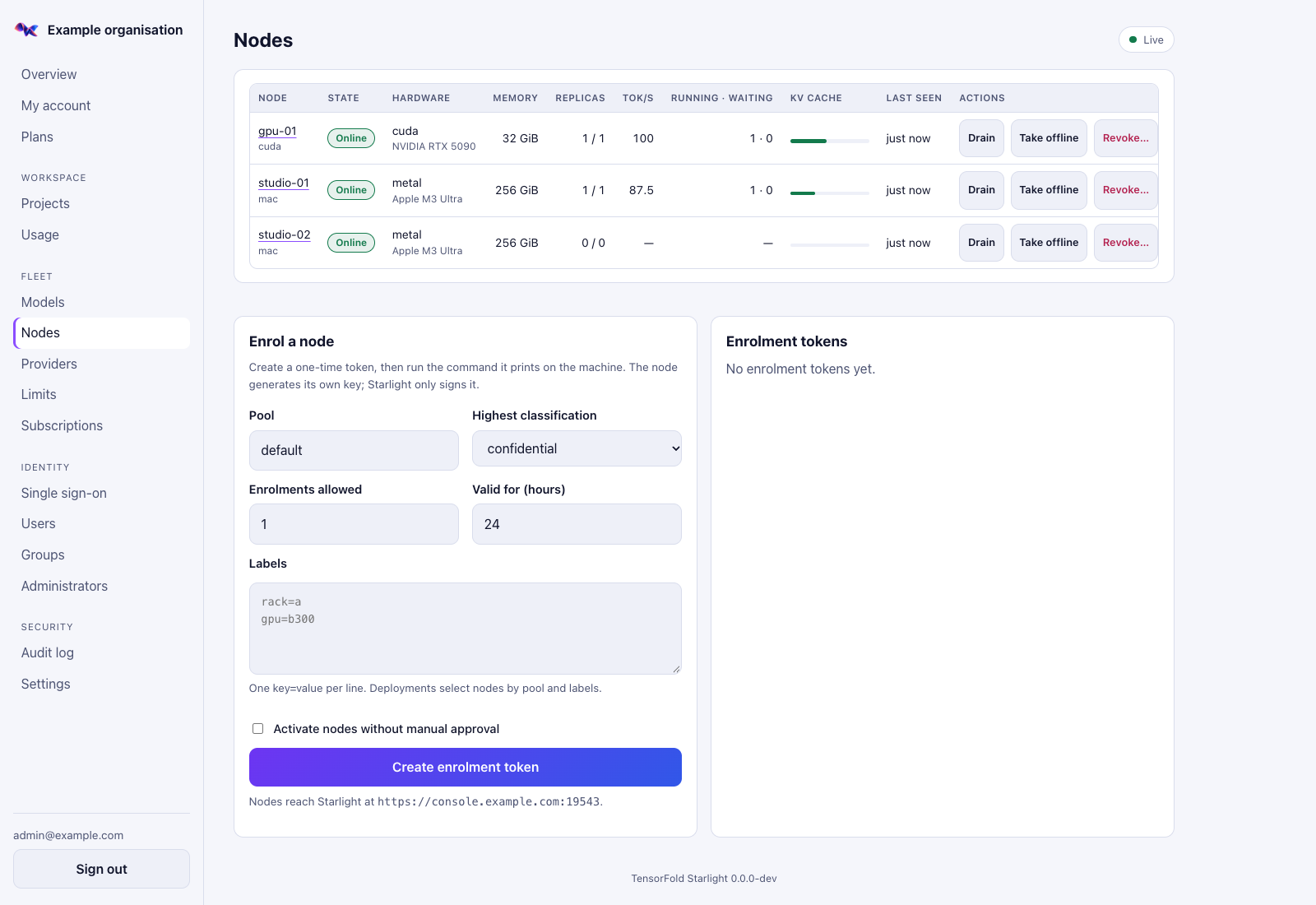
Inspect hardware and replica health, enrol machines and drain or take nodes offline.
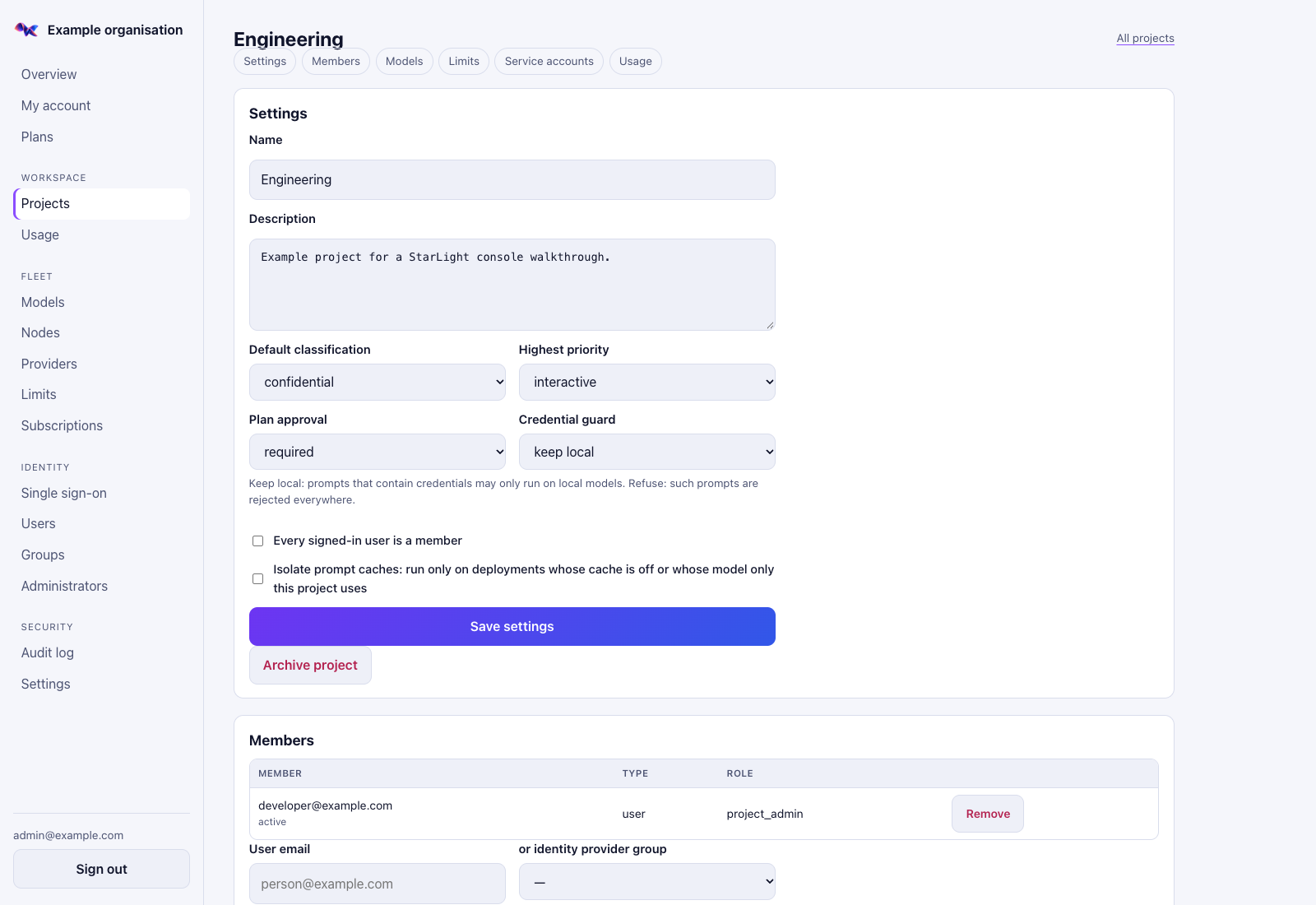
Set data classification, approval rules, credential handling and project membership.
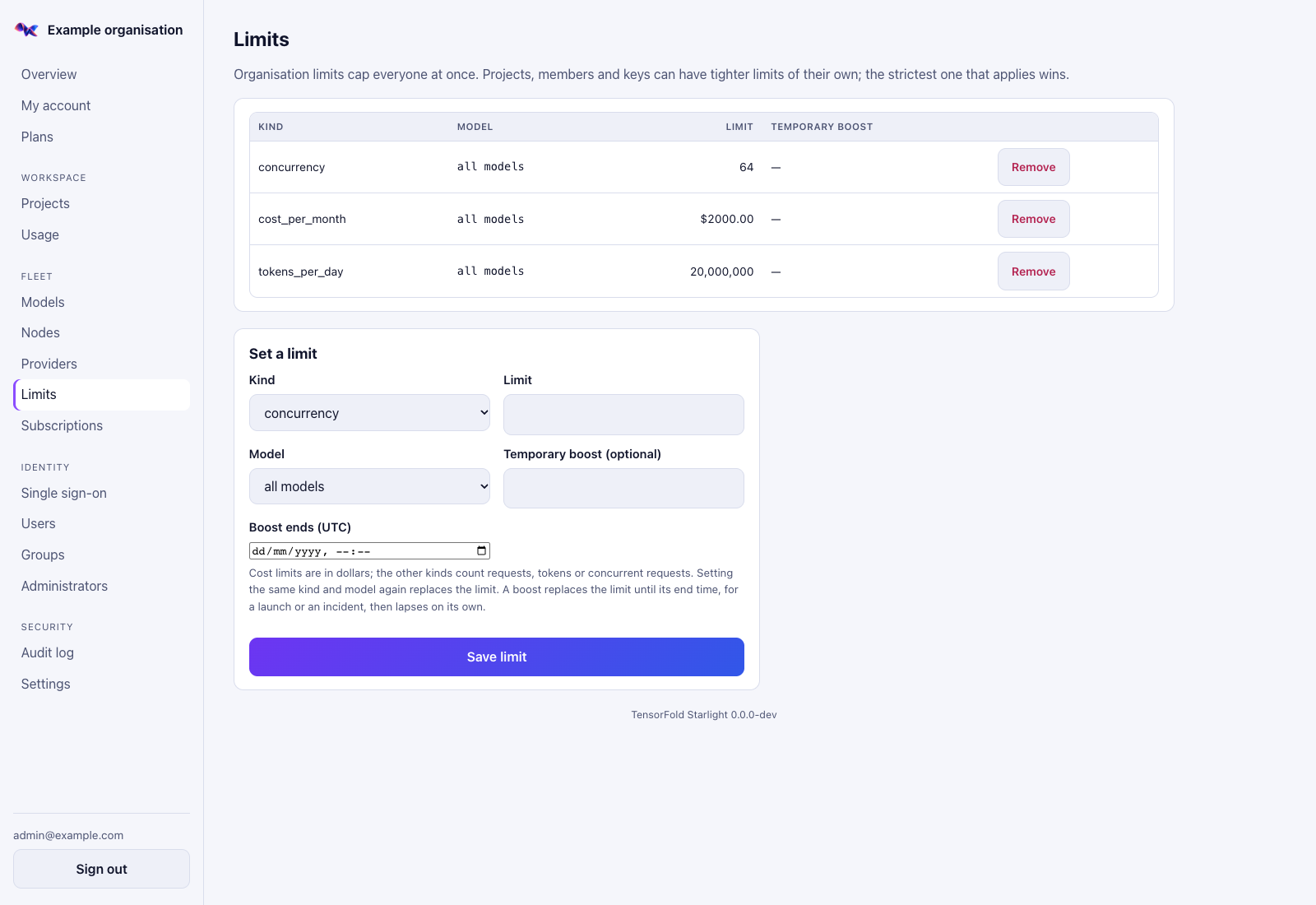
Cap concurrent work, tokens and spend, with temporary boosts when you need them.
Evaluate with your own team
Choose a real workload, review the controls and agree what success looks like. Use the free software yourself, or arrange direct assistance through project backing.
Start with one team, a qualified model and your own hardware. Follow the source-build quick start, connect a test application and record the measurements that matter to your workload.
Start a pilotShare the architecture, identity and data controls, operating responsibilities and open validation gates with your platform and security teams.
See the recorded control-plane tests, real-engine check and deployment checks. Identify which hardware, identity, recovery and security gates your rollout still needs to close.
Review deployment evidenceAccount for hardware, measured power, hosting, staff time, provider charges and project backing. Compare equivalent workloads using your own figures.
Open the cost plannerFrom individual machines to shared infrastructure
TensorFold runs the models. StarLight operates the service around them, from a person's first sign-in to the deployment handling their next request.
Connect your identity provider, map groups to roles and make the right models available to each project. Provision and deactivate users through SCIM.
Organise nodes into pools, place model replicas and manage deployment revisions. Keep models warm or start them on demand as work arrives.
Apply project limits across local inference and approved cloud models. Meter tokens and costs, cap concurrency and give interactive work priority over batch jobs.
Follow live throughput, queued work, active users, node load and model availability. Manage the fleet and investigate usage without jumping between machines.
Private by policy. Flexible by choice.
Use local models, approved external providers, or an offline installation. Access, classification and budget checks apply before a request is routed.
Publish a local-only model alias. StarLight checks the caller's project, model grant, data classification and available budget, then routes to an eligible replica in your private fleet.
If no eligible local replica is available, StarLight refuses the request rather than sending it to a cloud provider.
Company sign-in or scoped API key
Model grants, classification & limits
TensorFold on your managed fleet
Control eligible models and routes for public, internal, confidential and restricted requests.
Detect credential patterns and block requests or restrict their routing under project policy.
Enrol nodes over mutual TLS and authorise engine requests with scoped credentials.
Governed agent workflows
Give a planner the brief and context you choose to share. Review the resulting plan, approve its exact contents, then let the owner's agent execute against local models within a defined budget.
Task tokens are scoped to the approved executor model and deployment revisions. Delegated tasks can narrow their permissions, never expand them.
Explore plans & local executionThe planner receives the selected context under your project's policy and budget.
A project administrator reviews and approves the plan by its recorded hash.
The owner's agent uses a local-only task token with bounded spend, concurrency and delegation.
TensorFold Connect
Give people a local endpoint for their desktop applications, coding tools and SDKs. Connect signs them into StarLight and attributes each request to the person and app that sent it.
Connect & managed rolloutCommand line and menu-bar or system-tray access.
Chat, Messages, Responses and supported model endpoints.
Configuration profiles, Jamf, Intune, Group Policy and Linux configuration management.
Choose how you operate
Run the StarLight control plane on your infrastructure, then enrol the machines that serve your models. Postgres is its stateful dependency; gateways can run behind a load balancer.
Bring up StarLight and Postgres on one host. Add the optional development identity provider to explore sign-in and provisioning.
Compose guideDeploy with Helm, your own Postgres and optional ingress, autoscaling, monitoring and network-policy configuration.
Helm guideUse systemd with TLS, managed credentials and an external database. Configure the fleet through the console or declarative files.
Linux guideStarLight control plane · StarLight Node on serving machines · TensorFold Connect for desktop access
View the source & installation docsSupport funded by project backing
The whole StarLight project is free to use, including for enterprise deployments, and will remain fully open source under Apache-2.0. Every improvement we make, including work developed with enterprise users, will be published on GitHub. Self-managed deployments do not include direct support.
Organisations fund direct support through donations, sponsorship or ongoing project backing. That backing also funds development and maintenance for everyone.
Back the projectBack the project and work with us on installation, integrations and workload validation. We agree the scope of assistance with your organisation.
Project backing can fund ongoing technical support, maintenance of agreed versions and integrations, troubleshooting and upgrade planning. We agree the scope and duration together.
Direct support is provided through agreed donations, sponsorship or ongoing backing of the project. We agree support scope, supported versions and duration with each organisation. All improvements remain open source.
Design partners welcome
We're inviting organisations to evaluate StarLight on their own infrastructure and share technical feedback. Work through deployment, identity, workload quality and operations together. All improvements will be published on GitHub.
Explore a design partnershipWork with the project
Deploy and manage the free software yourself, or back StarLight through donations or sponsorship for deployment assistance and long-term support. Tell us about your organisation, your requirements and how you want to back the project.
Discuss backing & support enquiries@tensorfold.devThe source includes tested controls and deployment assets. Real-fleet load, live identity tenants, hardware qualification and independent security review remain part of production readiness. The qualification record separates completed checks from open gates.